Work settings
Custom fields, tickets and SLAs, time tracking, overdue task alerts, meetings, automations and site health.
How everyday work runs.
Custom fields
Settings › Custom fields (the Manage custom fields permission): extra fields on tasks, companies and contacts. Give each a name and type (with options for choice fields), and mark it required. Task fields are hidden from clients unless you tick Show to clients in the portal. Reorder fields by dragging. Archive fields you no longer need; delete only fields with no values saved.
Tickets & SLA
Settings › Tickets & SLA (the Manage ticket settings permission): ticket categories, the SLA clock, SLA policies, canned replies and satisfaction ratings. See tickets and SLAs.
Time tracking
Settings › Time tracking (owners and admins): hours budget alerts at 80% and 100%, daily and weekly reminders to log time, alerts for timers left running and stopping them automatically, and whether reminders also go by email. Reminders are off until you switch them on. See tracking time.
Tasks
Settings › Tasks (owners and admins): overdue alerts. When a task's due date passes, its assignee gets one "Task overdue" alert, and "When a task becomes overdue" automations run (never for tasks in completed, cancelled or on-hold projects). Set Don't alert about tasks more than this many days overdue to keep long-past tasks quiet, such as ones imported from monday.com; they still count as overdue in projects and filters.
Meetings
Settings › Meetings: your Google Calendar for invites, meeting types (length and agenda), reminder emails (off until switched on) and booking links. See meetings.
Automations
Settings › Automations (owners and admins, because automations can send emails and create invoices): workflows that run when something happens. Choose New automation, then:
- a trigger, such as a deal won, lost or changing stage; a task completed, overdue or blocked; an invoice overdue or paid; a quote accepted or declined; a project, phase or sprint completed; a milestone due; a timer going over its estimate; a member joining; or a task approval requested, approved or rejected,
- one or more actions, such as create a project, task, milestone or invoice; send an email, notification or reminder; update a deal's stage or a task's status; assign a task; move a task to a phase or sprint; or request approval.
The list shows each automation's trigger, action, whether it's enabled, when it last ran and how many times. Deal automations can also be set up in Settings › Pipeline.
Site health
Settings › Site health (owners and admins): outage tickets, WordPress update tickets and the emergency stop, one-click WordPress login, PageSpeed, vulnerability alerts, the visual check after updates, and Vercel and Railway tokens. Keys are stored encrypted. See site health, WordPress updates and Wordfence, PageSpeed and ScreenshotOne keys.
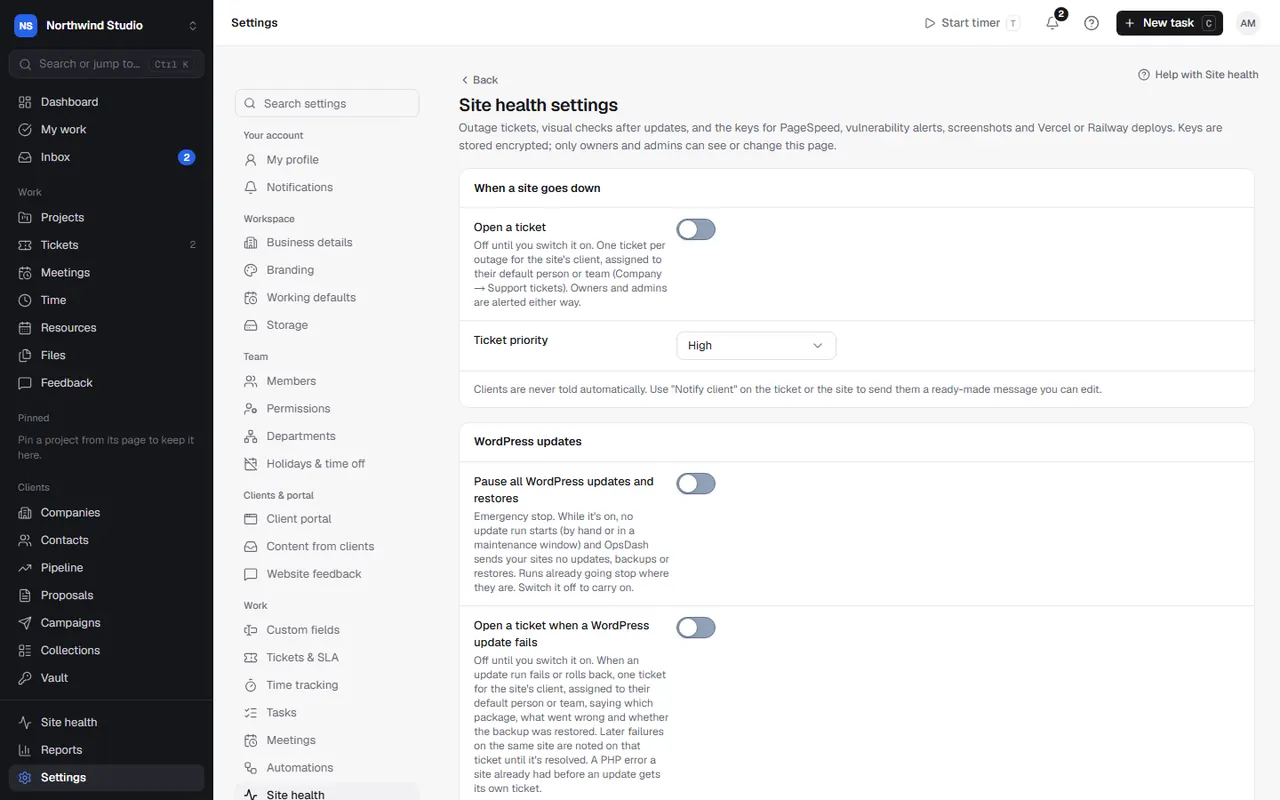
Settings in OpsDash
- Work › Custom fields
- Work › Tickets & SLA
- Work › Time tracking
- Work › Tasks
- Work › Meetings
- Work › Automations
- Work › Site health
These open in OpsDash. You’ll be asked to sign in first if you aren’t already.
Related articles
- Tickets and SLAsHandle client requests as tickets, reply or add internal notes, track SLA targets, turn tickets into tasks or deals, and collect satisfaction ratings.
- Tracking timeStart and stop timers, switch task without losing time, log time by hand or from your calendar, and edit entries.
- WordPress updatesUpdate plugins, themes and WordPress safely, one at a time with a backup, automatically in a maintenance window or by hand, with staging, visual checks and failure tickets.