Waiting on you and your inbox
See everything your agency needs from you in one list, and keep up with replies and updates in your inbox.
Waiting on you
Waiting on you lists everything your agency needs from you, so nothing holds up your work:
- content to send (copy, images, files, logins),
- designs or documents to sign off,
- quotes and proposals to look at,
- contracts to sign,
- invoices to pay,
- support tickets waiting for your reply,
- feedback fixes to check, and review rounds to sign off,
- assurance questions to answer.
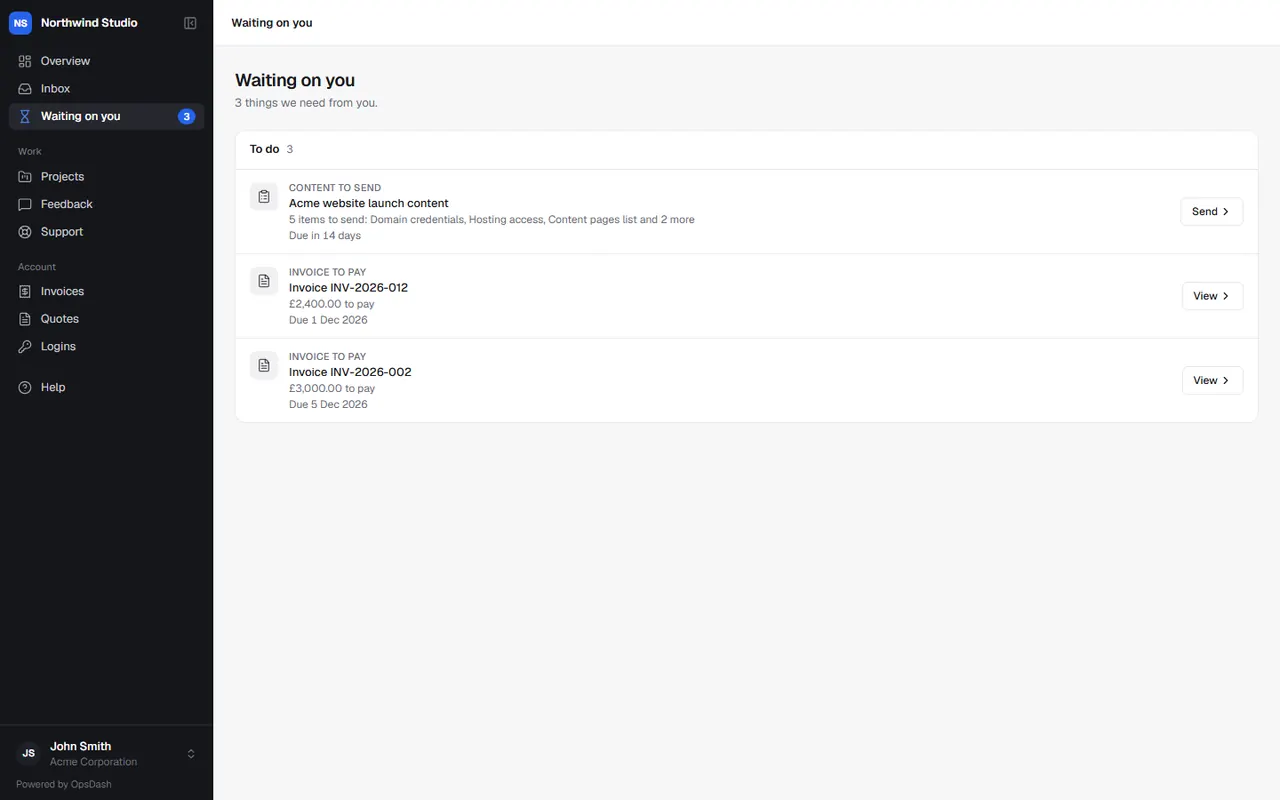
Overdue items are marked. Open an item to deal with it, and it leaves the list when it's done. The number beside Waiting on you in the menu shows how many are left.
Your agency may also email you a weekly list on Monday mornings, only when something's waiting. You can turn that email off from the email itself, or ask your agency.
Your inbox
Inbox holds replies and updates for you: comments and mentions on tasks you're on, your tasks moving, and other news from your agency. Unread items are counted in the menu.
- Open an item to go to it.
- Mark all read clears the count.
- Email me too: get an email about new things in your inbox, so you don't have to check. Turn it off any time.
Ticket replies, invoices, quotes and feedback updates have their own emails, so you won't get those twice.
Related articles
- Reviewing and signing off designsComment on designs and documents by clicking on them, then sign them off or ask for changes.
- Support ticketsAsk your agency for help with a support ticket, follow the conversation, and rate the help you got.
- Your projects and tasksFollow a project's progress, milestones and updates, see and add tasks, comment, share files, and log your own time.