Support tickets
Ask your agency for help with a support ticket, follow the conversation, and rate the help you got.
A support ticket is how you ask your agency for help: something's broken, you need a change, or you have a question.
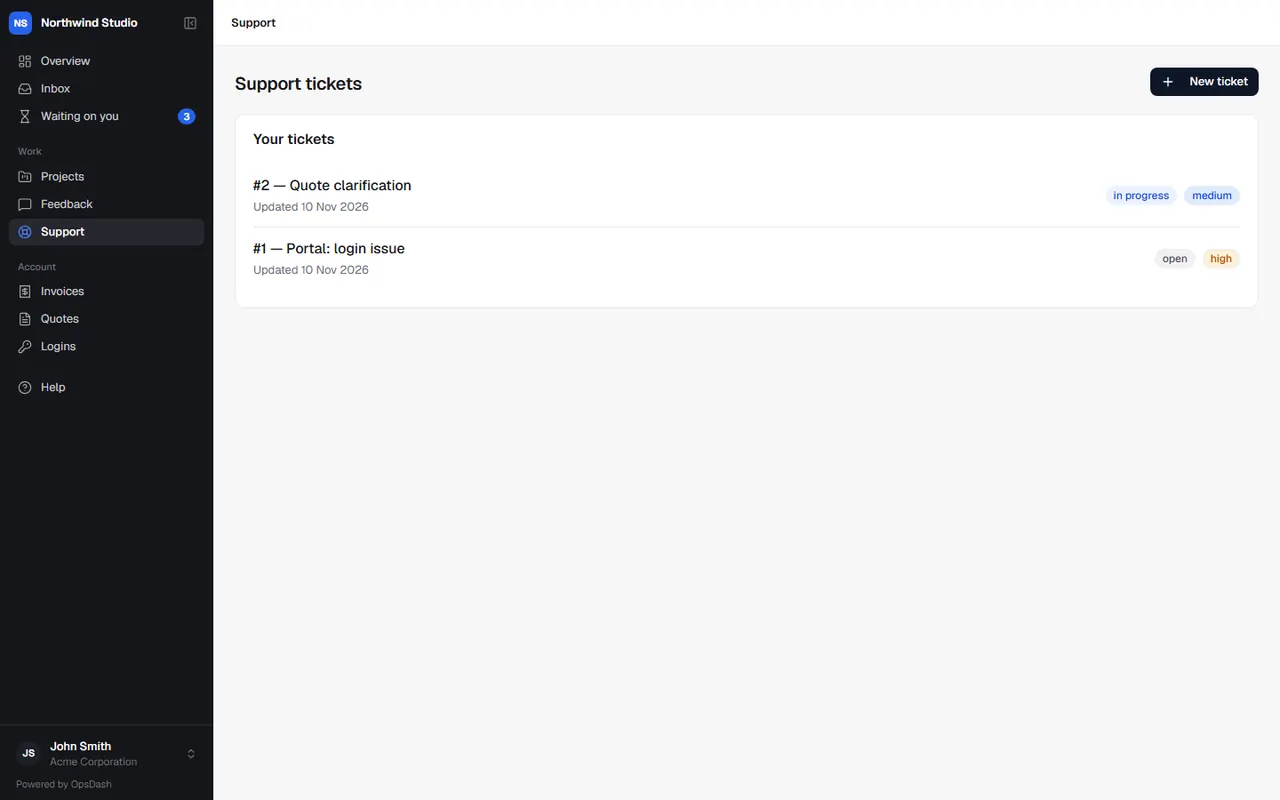
Raise a ticket
- Go to Support and choose New ticket.
- Write a short subject and describe what you need.
- Attach screenshots, documents, designs or video (up to 500 MB each).
- Choose a priority: Low, Medium, High or Urgent.
- Send it.
You can also email your agency's support address as usual: those emails become tickets too.
Follow a ticket
Your tickets lists them with their status. Open one to read the conversation and Reply. The agency's replies are emailed to you as well. You can reply while it's open; ask the agency if you need its status changed or a closed ticket reopened.
Tickets you work on
Your agency may let some people at your company work on tickets themselves. If so, you'll see tickets Assigned to you, and unassigned ones you can Pick up. Hand back returns one to the queue.
Rate the help
When a ticket is resolved, your agency may ask How did we do? in an email or in the portal. One click on good, okay or bad, and add a comment if you like. It helps them get better.