Reports
The scorecard and targets, profitability by client and project, money out, cash forecast, aged debtors, utilisation, revenue, pipeline and tasks.
Reports (pinned at the bottom of the sidebar) shows how the agency is doing. Most money reports need the See financial reports permission; owners and admins have it.
Scorecard
The first page is the scorecard: the headline figures for a period (this week, last week, this month and so on), compared with the period before, your targets against actuals, what needs attention, and a short cash flow view. Links to the other reports are underneath.
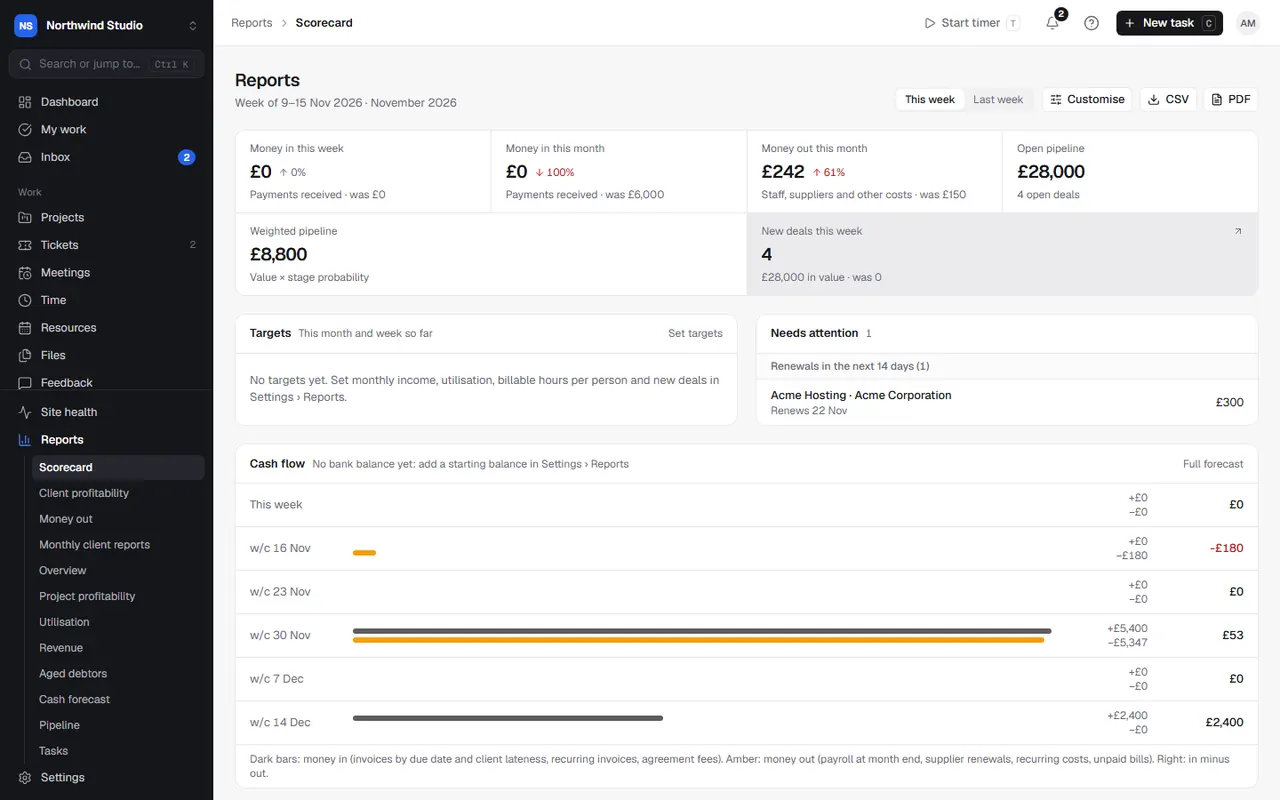
The reports
| Report | What it shows |
|---|---|
| Client profitability | Income, cost of time, supplier costs, profit, margin and effective hourly rate by client (or client group). Rank by profit, margin or rate. |
| Money out | Staff, supplier and other costs by category, compared with before, plus recurring costs and supplier costs by client. |
| Cash forecast | Money expected in and out week by week for 4, 8 or 13 weeks: invoices already sent, recurring invoices and agreements. |
| Aged debtors | What each client owes, by how late: total, overdue and over 90 days. |
| Revenue | Invoiced and paid over time. |
| Project profitability | Revenue, cost and margin by project. |
| Utilisation | Hours and billable share by person. |
| Pipeline | Open deals, win rate and forecast. |
| Tasks | Completed, overdue and cycle time. |
| Overview | Every headline figure for a period. |
| Monthly client reports | One report per client each month. See monthly client reports. |
Cost of time uses each person's cost rate, set in Settings › Members.
Report settings
- Weekly summary email: the scorecard, targets, a cash-flow forecast and what needs attention, every Monday morning to owners and admins. Off until you turn it on.
- Targets: income, utilisation, billable hours (with different hours for part-timers), new deals and more.
- Bank balance for the cash-flow forecast: with QuickBooks connected, choose which bank accounts make up the balance; without it, enter a starting balance and update it now and then.
- Where money out comes from: import bills and expenses from QuickBooks from a date, and choose what category each QuickBooks account counts as (or leave it out). Wages come from salaries, and hosting and domains from services, so those accounts start as left out.
Settings in OpsDash
These open in OpsDash. You’ll be asked to sign in first if you aren’t already.
Related articles
- Monthly client reportsMake a report for each client every month (work done, hours, tickets, site care, PageSpeed and renewals) and share it in their portal or by email.
- Timesheets, missing time and time reportsFill in a weekly timesheet, see who's behind on their hours, and report on time by client, person, project or task.
- Project access and permissionsChoose which projects people can see, and what each role and person can do beyond that: finances, the vault, WordPress logins, campaigns and settings.