Integrations settings
Email marketing tools, and the Integrations page for QuickBooks, Google Calendar and Drive, GitHub, Figma and monday.com.
Other tools OpsDash connects to.
Email marketing tools
Settings › Email marketing tools (owners and admins): connect Mailchimp, GoHighLevel and MailPoet, and choose what syncs. Nothing syncs until you switch it on. See Mailchimp, GoHighLevel and MailPoet.
Integrations
Settings › Integrations (owners and admins) has a card for each tool, showing whether it's Connected, Not connected or Disconnected (the tool stopped accepting the saved connection: reconnect it).
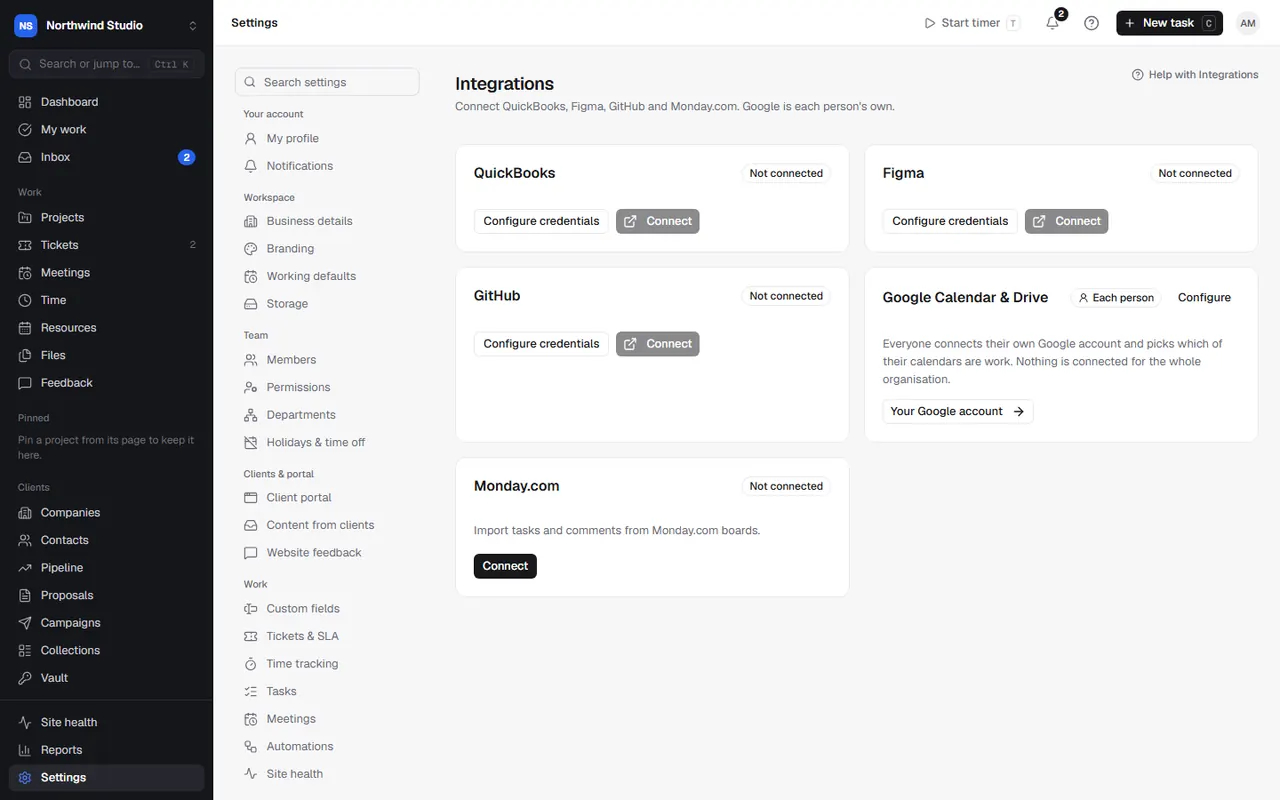
- QuickBooks: two-way sync of clients, invoices, credit notes and payments, and the import review. Needs the Sync with QuickBooks permission. See QuickBooks.
- Google Calendar & Drive: each person connects their own Google account; this page explains how and lists the Google access OpsDash asks for. See Google Calendar and Drive.
- GitHub: repositories on projects and pull requests on tasks. See GitHub.
- Figma: design files on projects and tasks. See Figma.
- monday.com: import boards, and remove passwords copied into imported tasks. Needs the Import from monday.com permission. See importing from monday.com.
Tools that sign in with OAuth (QuickBooks, GitHub, Figma, Google) need credentials for your OpsDash. If a card says Configure OAuth credentials first, choose Configure credentials and add your app's Client ID and Secret; the card shows the redirect URI to add to your app. If it says it's using platform-level credentials, your OpsDash already has them.
Disconnect removes a connection; you can connect it again later.
Other connections live where they're used: 20i in Services & renewals, Vercel and Railway in Site health, Stripe in Bank & payment, and the AI key in AI.
Settings in OpsDash
These open in OpsDash. You’ll be asked to sign in first if you aren’t already.
Related articles
- QuickBooksSync clients, invoices, credit notes and payments with QuickBooks Online both ways, and use QuickBooks' Pay now links.
- Google Calendar and DriveEach person connects their own Google account to put meetings, tasks and time off on their calendar, log time from events, and attach Drive files.
- Mailchimp, GoHighLevel and MailPoetConnect your email marketing tool to sync groups, tags and unsubscribes, bring campaign results onto contacts, and show clients' own campaign results.