Recurring invoices
Invoice the same amount on a schedule (monthly hosting, a fixed retainer) and choose whether each one is sent automatically.
A recurring invoice makes a new invoice on a schedule with the same lines each time. It suits fixed monthly fees. For hosting, domains and care plans with renewal dates, services are usually better; for retainers with hours, use an agreement.
Set one up
- Go to Invoices › Recurring and choose New recurring invoice.
- Enter a title, the company, and optionally a project, contact and description.
- Under Schedule, choose the frequency (or a custom number of days), the start date, and optionally an end date or a maximum number of invoices (up to 999).
- Tick Auto-send generated invoices to email each one to the primary contact as it's made. Leave it unticked to check each draft first.
- Add the line items (up to 50), the VAT rate, currency and notes.
- Optionally link it to a service, for renewal invoicing.
Managing them
The list shows each one's frequency, amount, next and last generation, and how many it has made. From the list you can:
- Generate now: make the next invoice straight away.
- Pause and Resume.
- Edit or Delete.
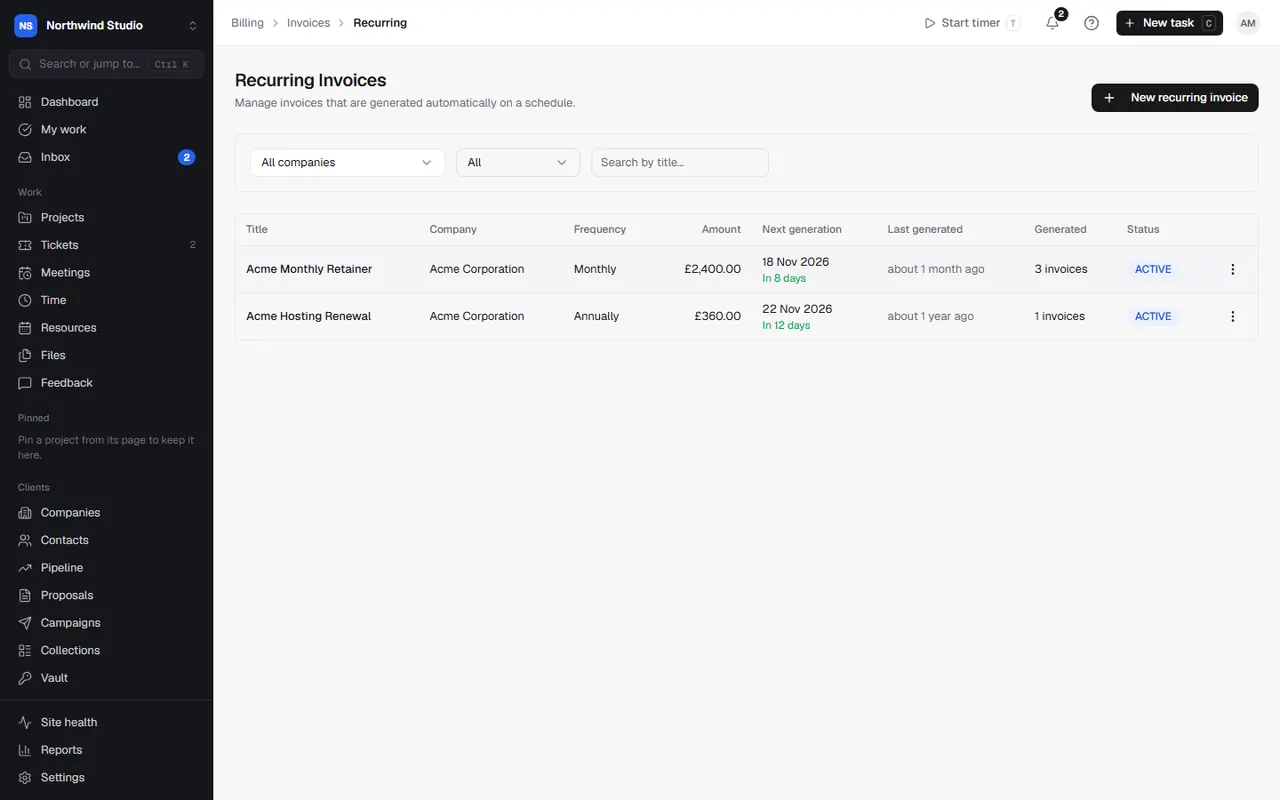
Filter by Active, Paused or Completed.
Related articles
- InvoicesCreate invoices by hand or from time and expenses, get them approved, send them, and track what's owed.
- Services and renewalsTrack clients' hosting, domains, licences and care plans, renew them on time, bundle them into renewal plans, and watch your margins.
- Agreements, retainers and hour blocksSet up retainers, SEO, PPM and care plans with included or prepaid hours, rollover and overage, and close each period.