Services and renewals
Track clients' hosting, domains, licences and care plans, renew them on time, bundle them into renewal plans, and watch your margins.
A service is something a client pays you for on a cycle: hosting, a domain, an email account, a licence, a maintenance plan. OpsDash tracks what each one costs you, what the client pays, and when it renews, so nothing lapses and nothing goes unbilled.
Add a service
Go to Services and choose Add service:
- Service details: name, description, category, provider (and the provider's link and account ID).
- Linked records: the company and, optionally, a project and a vault login.
- Billing: your cost, currency and renewal cycle, whether it auto-renews, and whether it's part of a shared product (a server or licence whose cost is split across clients).
- Client price and billing: your markup or client price, how often the client is billed (for example 20i paid yearly, the client billed monthly), and whether this service gets renewal notices.
- Period dates: the current period's start and end.
- Notifications: how many days before renewal you're reminded.
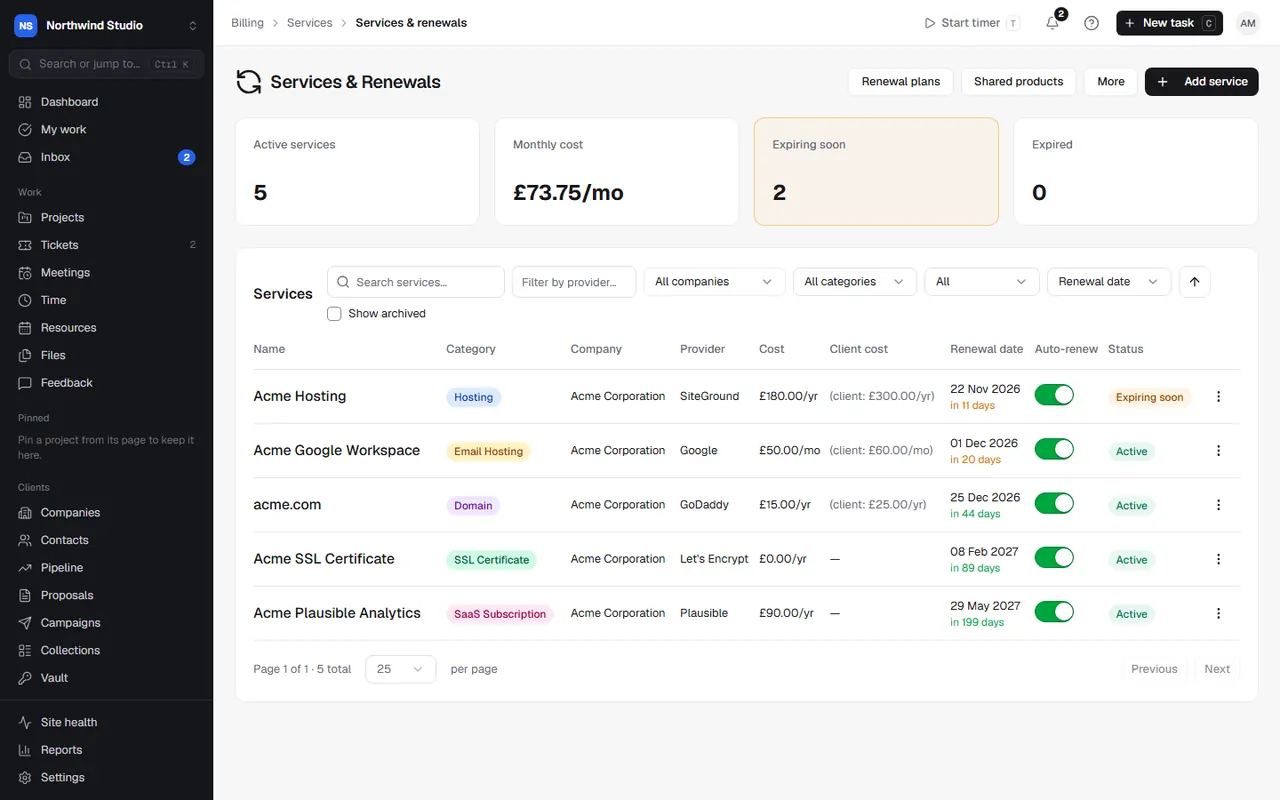
The list shows active services, the monthly cost, and what's expiring soon or expired. Filter by category or company.
Renewing
When a service renews, choose Renew: set the new period end, check the provider cost and client cost, and optionally Generate invoice. Renew with plan renews it as part of its renewal plan.
Automatic renewal (off until you switch it on in Settings › Services & renewals): each hour, an auto-renew service whose period has ended moves on to its next period, and whoever added it is told. No invoice is drafted: bill it with a recurring invoice. The services list points out auto-renew services with a client price that aren't invoiced yet, so you can set that up.
Using QuickBooks? A service can be invoiced by a QuickBooks recurring invoice instead: choose Set up in QuickBooks on the service.
Renewal plans
A renewal plan bundles a client's services so they renew together on one invoice, with a line per service. Go to Services › Renewal plans, pick the client, name the plan, set when it renews, and add their services: they move onto the plan's period. Each service keeps its own price and cost. A retainer fee can go in as a support plan service, and an agreement's fee and hours over join the plan's draft invoice.
When the plan renews, it can generate one draft invoice for everything.
Shared products
Services › Shared products is for servers, licences and systems you pay for once and share across clients. Add the product with its supplier cost, then assign client services to it: each service carries its share of the cost, so margins are true.
Margins
Services › Margins compares client price with supplier cost for every active service, brought to a monthly figure so yearly and monthly billing compare. See it by client or by service, and spot anything losing money.
Price rises
Services › Price rises raises prices across many services in one go:
- Plan a price rise: choose which services (by category or provider), the rise (a percentage or fixed amount, from a date) and how to round new prices.
- Check every line before saving. It's saved as a draft; nothing changes yet.
- Draft the client notice, a service notice telling affected clients. Nothing is sent until you send it.
- Apply new prices when you're ready.
Renewal notices to clients
In Settings › Services & renewals, switch on Send renewal notices (off by default) to email clients a set number of days before a service renews. You can also have it draft the renewal invoice with the notice, due on the renewal date. Choose which kinds of service get notices and edit the wording. Monthly services, services in a renewal plan and clients billed on their own cycle are left out. Renewing in the next 90 days shows what's coming.
Importing from providers
Services › Provider imports brings in domains and hosting from 20i, and projects with their monthly cost from Vercel and Railway. Imports only suggest; nothing changes until you confirm.
Settings in OpsDash
These open in OpsDash. You’ll be asked to sign in first if you aren’t already.
Related articles
- Agreements, retainers and hour blocksSet up retainers, SEO, PPM and care plans with included or prepaid hours, rollover and overage, and close each period.
- 20iImport your clients' domains and hosting packages from your 20i reseller account as services, with expiry dates and costs.
- Vercel and RailwaySee deploys for client sites hosted on Vercel or Railway, and import each project's monthly cost to recharge it as a service.